介绍
PeaZip 虽然同是开源免费的压缩工具,但它比 7-Zip 相对会稍微好看一些,界面设计更清爽现代,功能上也不输老大哥,还算是能打的。加上软件界面也没有任何广告,跨平台支持 Windows (XP ~ Win10) 和 Linux 系统,总体来说比较好用,值得推荐。
软件截图
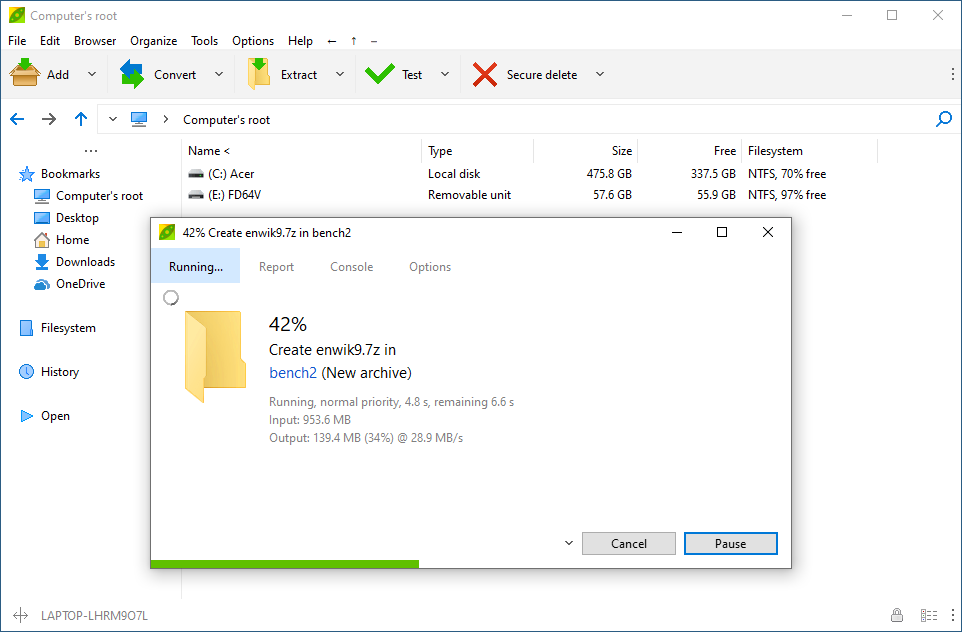
软件特点
- 压缩格式转换:直接将某个格式的文件转换成另一种压缩格式,无需手动先解压再压缩;
- 脚本支持:对于高级用户,你甚至还能调用命令行和编写脚本来做一些批量处理;
- 查找重复文件:在压缩包里帮你搜索出那些重复的文件;
- 密码管理器:Bandizip 收费的密码管理器功能在 PeaZIP 里是免费的;
- 跨平台:支持 Windows 和 Linux 系统;
更新日志
PeaZip 10.3.0
Feb 22, 2025
CODE:
project_pea and project_peach updated to optimization and debugging project-level options recommended for Lazarus 3.x line
Optimized app startup reducing 25% time and 20% memory usage
Various fixes
FILE MANAGER:
Auto browse TAR inside compressed TAR archives now can be limited to max size (100 MB, 1 GB, 10 GB, Always) in order to avoid automatic time consuming operation
Can now save list of files/search results as csv (with , and ; separator), tsv, and txt
Improved “Analyze content of folders” function, now reporting content size in separate column to allow sorting for smallest/largest folder
Improved handling archives with errors, or containing extra data, i.e. container formats which are variants of archive formats
With Options > Settings > Archive manager, “Browse non-canonical archive types” option flagged (default) the app will always try to open for browsing such archives
Unflagging this option stops the app from browsing archives if errors are detected, which may be more safe, but is less flexible in terms of handling/recovering data
More cases of warnings and errors are recognized and shown (warning icon in the navigation bar) for file formats supported through the 7z/p7zip backend
Smart new folder toggle is now reachable also from quick extraction dropdown menu
Style submenu in “…” style menu allows to quickly change app’s file manager GUI applying multiple customizations at once to fit one of the pre-set styles: Minimal, Classic, Modern, and Postmodern
Updated Themes to customize more items (menu dropdown, breadcrumb separator, settings icon), legacy themes are still supported
New Tux-Alt theme for alternative look&feel on Linux systems
(Windows) Improved rendering of exe files’ icons
EXTRACTION and ARCHIVING:
Improved displaying information in the task progress window and in the archive creation / extraction screen title
Improved managing non-ASCII characters in passwords
Added warning to prevent creation of archives using non-ASCII characters if not supported by the format (or otherwise not supported due to technical limitations)
Fixed Windows drag and drop extraction not correctly communicating non-ASCII characters in passwords through pipe
When directly sending items to compression without confirmation, file spanning (if set) is automatically disabled for the current operation
Added support for VmWare .ova files, and Minecraft archive file types .mcaddon, .mcmeta, .mcpack, .mcproject, .mcstructure, .mctemplate, .mcworld (242 file extensions supported)
INSTALLERS:
(Linux) Qt6 installable packages updated to create needed links to libQt6Pas.so out of the box
(Linux) Updated information for context menu integration for Gnome and KDE in (peazip)/res/share/batch/freedesktop_integration
sh scripts to automate context menu integration now available in KDE-servicemenus and Nautilus-scripts subfolders