介绍
Veyon 是一个开放源码的计算机监控和电子教室管理软件,能够跨平台运行,目前支持 Linux 和 Windows 操作系统。
Veyon 提供了一个直观的用户界面,能够方便和快速找到你需要的功能。
Veyon 是 iTALC 的继任者,重写了内核和功能架构,提高了稳定性和可操作性。
软件截图
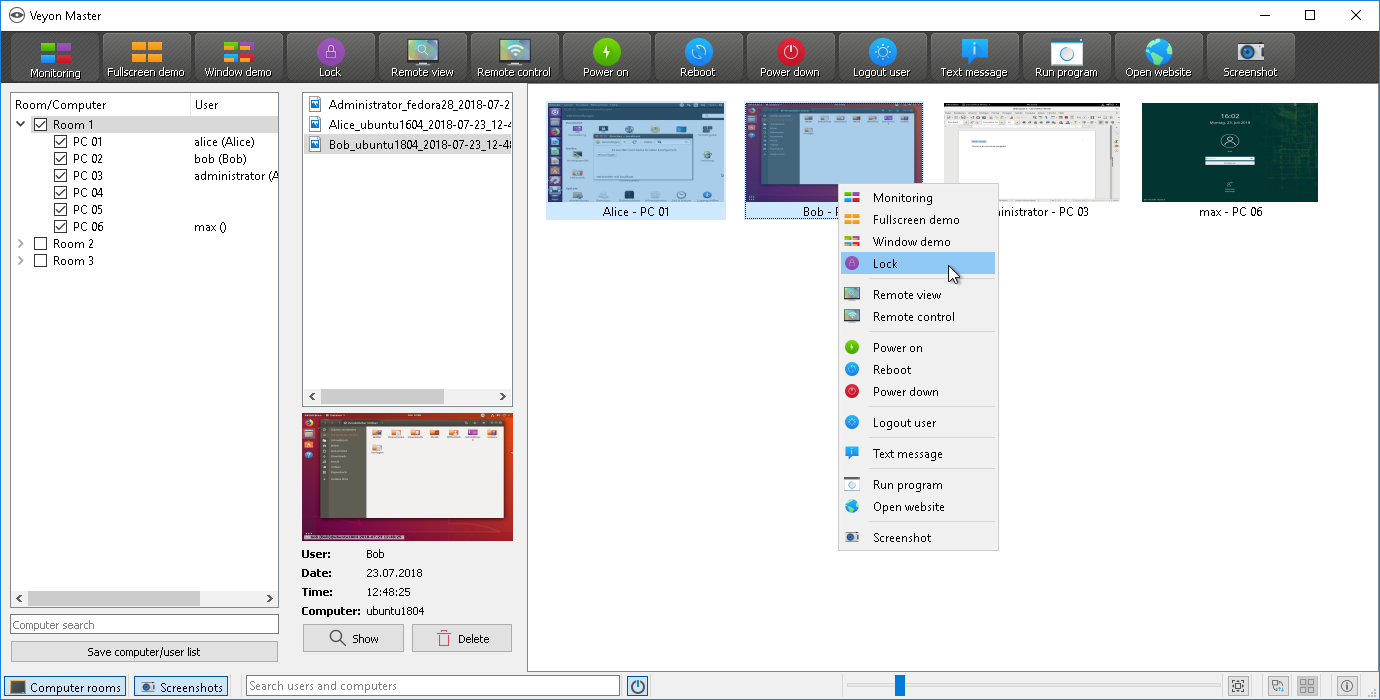
软件特点
- 查看计算机实验室中发生的情况并截取屏幕截图
- 远程控制计算机用来支持和帮助学生
- 将老师的屏幕分享给所有学生
- 锁定工作站,让学生的注意力放在老师身上
- 发送文本消息给学生
- 远程的开关机
- 远程注销并执行任意脚本和命令
更新日志
4.9.4
- Core/General:
- Added dark mode support + setting for explicit selection of light/dark mode
- Improved connection reliability and automatic reconnect on timeouts
- Added support for managing and reporting access control results via protocol
- Configurator:
- Fixed reset button behavior if no access control method was configured
- Start/stop/restart Veyon Service in background and indicate via new toast popup so Configurator remains usable
- Master:
- Improved and extended computer icons to better reflect error states (access control failed, host name resolution failed, service not running/reachable)
- Use dedicated icons in dark mode
- Show active features in small icon overlay above computer thumbnails
- Show detailed information about access control failures in the tooltip, i.e. the name of the denying rule, access denied by user or accessing user not member of authorized user group
- Show hostname or IP address in tooltip
- Service:
- Fixed broken Headless VNC server on Windows
- Linux:
- Add RHEL 8+9 packages (built on RockyLinux 8/9)
- Build with updated openSUSE Tumbleweed build container
- Drop CentOS 7.9 package
- Windows:
- 3rdparty: FFmpeg: update to 7.1.1
- 3rdparty: libpng: update to 1.6.47
- 3rdparty: libvncserver: build without OpenSSL support
- 3rdparty: QCA: update to 2.3.10
- 3rdparty: Qt: update to 6.8.3
- 3rdparty: x264: update to 165