介绍
Calibre是一款免费的电子书制作及阅读软件,Calibre中文版操作简单,没有太复杂的操作,只需要打开软件就可以使用。Calibre中文版功能强大,在帮助你阅读书籍的同时还可以进行编辑及格式转换,为用户带来高效便捷的使用体验。
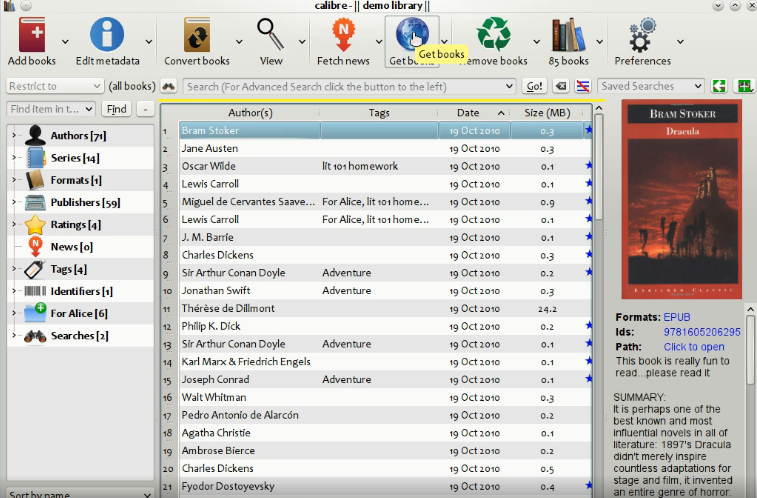
软件截图
软件特点
Calibre中文版源代码开放,拥有跨平台的设计,可在Linux,OS X和Windows操作系统中运行。
Calibre中文版拥有完整的电子图书馆,包括图书馆管理,格式转换,新闻,材料转换为电子书。
电子书阅读器同步功能、整合进电子图书阅读器。
Calibre中文版优点是功能全,可定制化程度高,可以折腾。缺点是体积庞大、速度慢、BUG较多(不过修得很快)。
更新日志
版本: 8.1.1 [28 Mar, 2025]
新特性
- Edit metadata dialog: Allow right clicking on the cover to edit it with an external program
- Virtual library tabs: When the tabs are locked prevent them from being re-ordered as well
- FreeBSD: Add support for connecting to devices, contributed by Guido Falsi
Bug修复
- macOS: Fix regression in previous release that caused calibre:// URLs to no longer work
- macOS: Fix a regression in calibre 8 that prevented icons in menus from being rendered
- Kobo driver: Fix hyphenation settings not being applied correctly when generating KEPUB to put on the device
- KEPUB Output: Include leading whitespace in kobo sentence span tags. This prevents unsightly breaks when highlighting across formatted text on the Kobo
- Content server: Fix FB2 books not readable via the in-browser viewer
- Edit book: Add text narration: Fix preferred voice for language setting being ignored
- E-book viewer: Use IPC to update annotations when calibre is running. Avoids possible loss of annotations in the Annotations browser due to db being locked
- Ensure calibre temp files are deleted even on program crash
- Fix incorrect minimums on font size changing controls in viewer
- Fix regression in previous release causing incorrect rendering of layout menu on some macOS machines
- Fix archive formats such as ZIP not being indexed for full text search
- Version 8.1.1 fixes a regression causing an error that does not affect functionality on startup on macOS
改进的新闻源
- Horizons
- Economist
- Granta