介绍
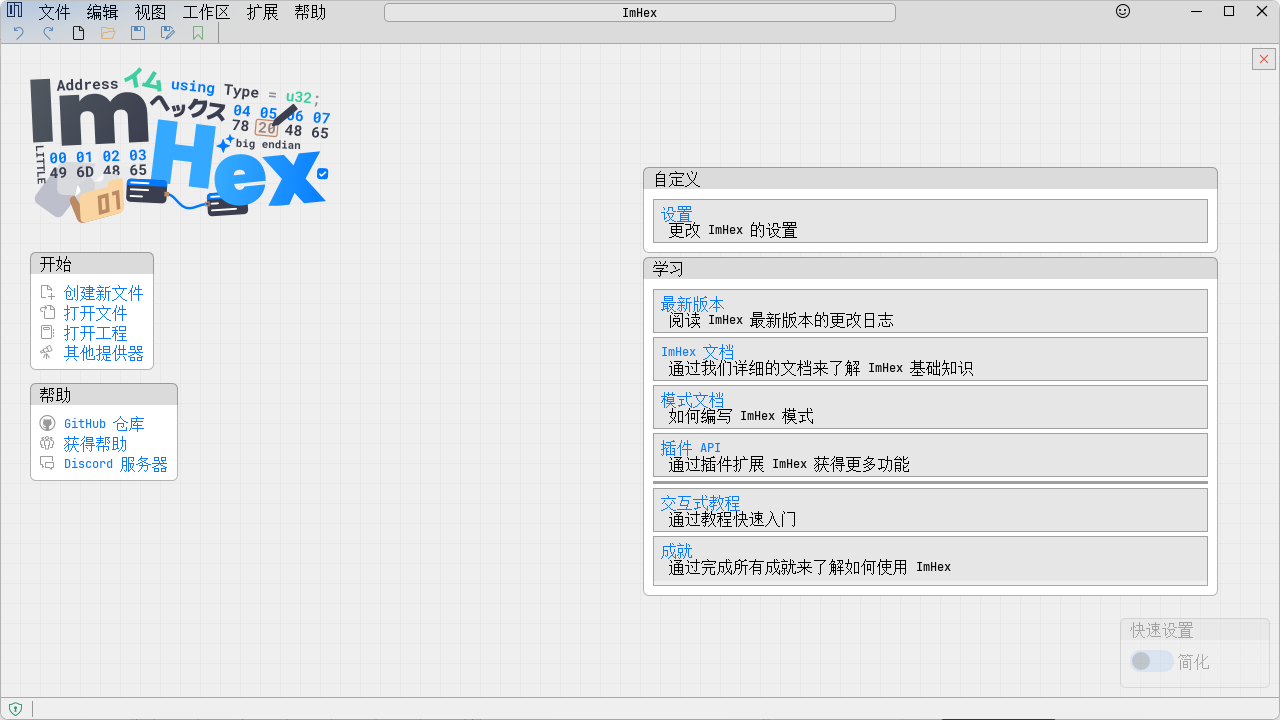
ImHex 是一款开源的十六进制编辑器,专为逆向工程、数据分析和低级编程任务设计。它提供了强大的功能和灵活的配置选项,使得用户可以轻松查看、编辑和分析二进制文件。ImHex 的界面简洁直观,支持多种文件格式,并集成了高级功能如模式匹配、脚本编写和插件扩展,帮助用户更高效地处理复杂的二进制数据。无论是开发人员、安全研究人员还是爱好者,ImHex 都是一个不可或缺的工具,适用于需要深入理解文件结构和内容的场景。
软件截图
软件特点
高效的十六进制编辑:ImHex 提供了直观的界面和强大的编辑功能,用户可以直接查看和编辑文件的原始字节数据。支持大文件的快速加载和浏览,确保高效的编辑体验。
强大的模式匹配:通过定义YARA规则或正则表达式,用户可以搜索特定的二进制模式,查找和识别文件中的特定结构或签名。这一功能特别适用于逆向工程和安全分析。
灵活的脚本编写:支持使用Lua脚本语言编写自定义脚本,用户可以根据需要实现各种自动化任务。脚本可以用于解析复杂的数据结构、生成报告或执行批量修改操作,极大地提高了工作效率。
丰富的插件扩展:拥有丰富的插件生态系统,用户可以根据需求安装不同的插件来增强软件的功能。插件可以提供额外的解析器、可视化工具或其他实用功能,使得ImHex更加灵活和强大。
多文件格式支持:支持多种常见的文件格式,包括ELF、PE、Mach-O等可执行文件,以及常见的压缩和归档格式。用户可以直接在ImHex中打开和编辑这些文件,无需额外转换。
便捷的书签和注释:用户可以在文件中设置书签和添加注释,方便标记和记录重要的位置或发现。书签和注释可以帮助用户更好地组织和管理复杂的二进制数据,便于后续参考和分析。
多种导出选项:ImHex 提供了多种导出选项,用户可以将选定的二进制数据导出为文本文件、CSV文件或其他格式。这一功能特别适用于与其他工具或应用程序共享数据,或者生成详细的分析报告。
实时预览功能:对于某些文件类型,ImHex 可以提供实时预览功能,用户可以在编辑过程中立即看到更改的效果。例如,编辑图像文件时,用户可以实时查看图像的变化,确保编辑结果符合预期。
命令行接口:提供命令行接口,用户可以通过命令行执行各种操作,如打开文件、应用脚本或导出数据。这对于需要批量处理文件或集成到自动化工作流中的用户来说非常有用。
更新日志
v1.38.1
Improvements
- The Windows installers are now signed
- Huge thanks to SignPath for their help and sponsoring the certificate
- The icons look slightly less blurry on low-resolution screens now
- There's no longer any gaps in the selection of hex editor cells now with certain scaling factors
- There's now better error messages when opening a data source failed. No more "Unspecified Error"
- Opening a file that has already been opened now switches to its existing tab instead of just displaying an error
- The auto-updater on macOS now automatically unpacks the new version instead of just opening the dmg
Bug Fixes
- Fixed the Windows installer not correctly replacing all files
- Fixed dependencies of the deb packages
- The Extended ASCII display is no longer active by default now
- If you upgraded to v1.38.0 before, you can disable it now by clicking on the Paragraph icon in the hex editor footer. If you didn't upgrade to that version, it will now be disabled by default
- Fixed a bunch of issues with the updater that caused it to not work correctly, mainly on Windows
- Fixed various issues with the pattern editor. Thanks to @paxcut
- Fixed editing values in the data inspector not correctly working
- Fixed a crash when clicking Cancel while opening a remote SSH File
- Fixed a off-by-one in the process memory data source that would cause the first byte of a region to not display correctly
- Fixed a crash when using the @ command palette command
- Fixed sorting in the find view table being inverted
- Fixed pattern files saved by the pattern editor not getting truncated on disk correctly
- Fixed a crash when repeatedly opening files by drag-n-dropping them onto the ImHex Window